
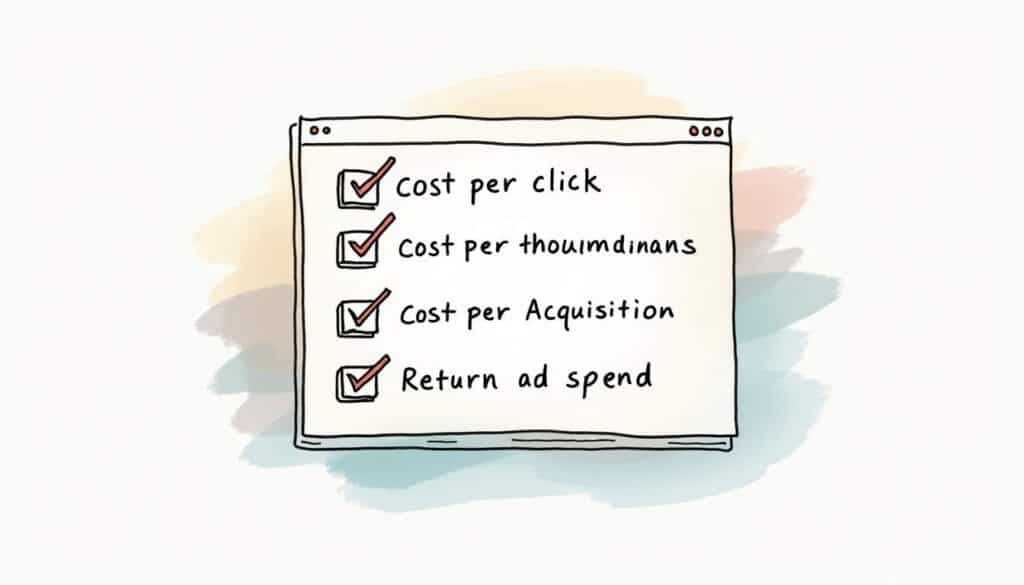

Choosing the right bidding strategy in Google Ads can make or break a campaign. The wrong one wastes budget quietly for months. The right one scales results without you touching a bid. This guide covers all of it in one place: the four pricing models (CPC, CPM, CPA, ROAS), every Smart Bidding strategy worth using, and a practical roadmap for picking and switching between them.
I’ve audited 200+ Google Ads accounts over the past 16 years, and bidding strategy is where I find the most money left on the table. Not because people pick a “bad” strategy, but because they pick one by best practice instead of by feel for their own account’s data. This guide gives you both: what each strategy does, and how I actually deploy them.
Why your bidding strategy matters more than ever
Google Ads runs on an auction. How you bid decides how often your ads show, what you pay, and what the algorithm optimizes toward. With CPCs averaging around $5.26 in 2025 and competition rising in most verticals, the difference between a well-matched strategy and a mismatched one shows up directly in your cost per lead.
One more thing worth understanding before any of the strategy breakdowns below: every automated bidding strategy runs on a “learning period” after it launches or after its target changes, typically one to two weeks. During that window, Google’s algorithm is deliberately exploring bid ranges to find what works, which means performance is often noisier and sometimes worse than it was before the change. This isn’t a sign the strategy is wrong. It’s the cost of letting the algorithm calibrate. Judging a bid strategy from its first few days is the single most common reason advertisers abandon strategies that would have worked.
The good news: conversion rates have improved too, averaging about 7.52%. Paying more per click is fine when the clicks convert. That is the core mindset shift this guide keeps coming back to: optimize for cost per outcome, not cheapest unit.
The four pricing models
Every bidding strategy is built on one of four ways Google charges you:
- CPC (Cost Per Click): pay per click. For driving traffic and testing demand.
- CPM (Cost Per Thousand Impressions): pay per impressions. For brand awareness and reach.
- CPA (Cost Per Acquisition): pay to hit a target cost per conversion. For lead gen and direct response.
- ROAS (Return on Ad Spend): bid to hit a revenue-to-spend ratio. For e-commerce and revenue goals.
CPC: traffic-focused and tactical
CPC gives you tight control over traffic volume and keyword-level spend. It shines when you’re testing new keywords, headlines, or audiences, and when the primary metric is qualified visits rather than immediate conversions.
Practical setup rules:
- Bid by keyword value, not instinct. Prioritize keywords with intent and conversion history.
- Use tight match types and negative keywords to cut waste.
- Watch Quality Score. Higher relevance lowers effective CPCs.
- Segment bids by device. Mobile clicks convert differently than desktop.
- Use ad scheduling and geo bid adjustments where performance data supports them.
CPM: the brand-awareness engine
CPM charges per 1,000 impressions and belongs at the top of the funnel: product launches, event promotion, new markets. Video CPMs in 2025 run roughly $10 to $15 for standard placements and $20 to $30 for premium slots.
Even with CPM, targeting discipline matters. Narrow the audience, cap frequency so people don’t get sick of the ad, and track viewability so you know paid impressions were actually seen. Pair CPM awareness campaigns with retargeting so the interest you buy gets captured downstream.
CPA: conversion-focused and disciplined
Target CPA (tCPA) sets a cost you’re willing to pay per conversion and lets Google bid each auction to hit that average. It’s the workhorse for lead generation.
Two rules make or break tCPA:
Volume. The algorithm needs conversions to learn from, ideally 15 to 30 per month minimum. Below that, it’s guessing. If you’re under that volume, start with Max Conversions or Max Clicks and graduate to tCPA once data accumulates.
Realistic targets. Set the tCPA from historical data, not from wishful thinking. An unattainably low target starves the campaign of impressions. If the platform can’t hit your number, either raise it or fix the conversion rate first with better landing pages and offers.
Here’s a real example of why “realistic” doesn’t mean “higher.” I ran a medical aesthetics account where we raised the tCPA to $150. Budget wasn’t the constraint, there was plenty to spend. The result was fewer conversions at a higher cost per conv. We cut the target down to $125 and got way more clicks, more conv, and a healthier cost per conv. Best practice is not always the best move. You have to try different things and feel the algorithm out.
ROAS: align bids with revenue
Target ROAS (tROAS) bids to hit a revenue-to-spend ratio, so it’s the go-to for e-commerce accounts that pass real transaction values into Google Ads. Google reports about 7% more conversion value for advertisers using tROAS versus manual CPC, and Smart Bidding adopters overall see roughly 20 to 35% better ROI than manual bidding.
Make it work:
- Every sale must send an accurate revenue value. No value, no tROAS.
- Set targets from product margins. A too-high ROAS target restricts volume; a lower target buys volume but compresses margin.
- If margins differ wildly across product lines, split campaigns and give each its own target.
The Smart Bidding strategies, one by one
Smart Bidding is Google’s family of automated, conversion-based strategies. They set bids per auction using signals you can’t act on manually: device, location, time, user behavior, past interactions. Sixty-four percent of accounts improve ROI after switching to Smart Bidding, but each strategy has a distinct job.
Target CPA (tCPA)
Covered above. Best for lead gen with stable tracking and enough volume. Google’s own data shows around 31% more conversions at similar cost per conversion versus manual bidding.
Target ROAS (tROAS)
Covered above. Best for e-commerce with reliable conversion values.
Maximize Conversions (Max Conv)
Gets the most conversions possible within your daily budget, no target required. This is the right starting point for new campaigns with no history: it generates the data that tCPA needs later. Expect roughly 20% more conversions than manual bidding, but watch spend, because without a target the cost per conversion can drift.
The standard progression: launch on Max Conv, accumulate 30+ conversions, then layer a tCPA target onto it.
Maximize Conversion Value
The revenue-focused sibling of Max Conv: it chases the highest total conversion value within budget rather than the highest count. For retail accounts with varied product margins, it consistently delivers better ROAS and CPA than count-based strategies. Retail is projected to be 27% of all Google Ads spend in 2025, and this is the strategy most of that money should be on.
Maximize Clicks (Max Clicks)
The most underrated strategy in the platform. It simply buys as many clicks as your budget allows. Use it for traffic goals, for testing new markets, and as a data-gathering phase for brand-new campaigns. It doesn’t optimize for conversions, so pair it with strong ad copy and landing pages, and move on once conversion data exists.
Enhanced CPC (eCPC)
The halfway house: you set manual bids, Google nudges them up or down per auction based on conversion likelihood. Choose it when you want to keep manual control but pick up some machine-learning benefit. It’s a reasonable stepping stone toward full automation, not a destination.
Manual CPC: when it falls short
Full keyword-level control sounds appealing, and there are still niche cases for it (tiny budgets, highly specialized targeting, accounts where tracking can’t be trusted yet). But the data is consistent: manual accounts tend to show lower conversion rates, lower CTRs, and higher CPAs than automated ones, and they eat hours of management time. Treat Manual CPC as a diagnostic and testing tool, not a long-term strategy.
My own take runs against the grain here: I use Manual CPC in every account, especially in the first 3 to 6 weeks. It’s how I feel out which average CPC uses up the entire budget. Once I know that number, I switch to Max Clicks with a bid cap set from it. And the cap is not optional. I’ve seen it across many accounts: run Max Clicks with no max CPC cap and Google will happily push clicks into the $100 range. There’s no sense in it, because with the cap in place you get just as much traffic. So Manual CPC isn’t a relic to me. It’s the calibration phase that makes the automation safe to hand the keys to.
Bidding strategies at a glance: a side-by-side comparison
Reading about each strategy in isolation makes it hard to see how they actually stack up against each other. Here’s the comparison I wish existed when I started managing accounts: the four strategies advertisers ask me about most, side by side, with the practical constraints that actually decide which one you should be running.
| Strategy | Best Use Case | Data Requirements | Risk Level |
|---|---|---|---|
| Manual CPC | New accounts, keyword testing, calibrating spend before automating | None. Works from day one. | Low financial risk, high time cost. Requires constant hands-on management. |
| Maximize Conversions | Lead gen accounts with little or no conversion history | Conversion tracking installed; volume not required to start | Medium. Cost per conversion can drift with no target to anchor it. |
| Target CPA | Established lead gen accounts with a defined cost-per-lead ceiling | 15-30+ conversions/month minimum for the algorithm to learn reliably | Medium. An unrealistic target starves the campaign of impressions. |
| Target ROAS | E-commerce and revenue-driven accounts with variable order values | Accurate transaction-value tracking on every conversion; similar volume floor to tCPA | Medium-high. Broken value tracking silently misdirects the entire budget. |
The pattern to notice: risk in automated bidding isn’t really about the algorithm, it’s about what happens when the data feeding it is wrong. Manual CPC is the only strategy on this list where a tracking mistake costs you time. With the other three, it costs you money, and you often don’t find out until you look at the numbers weeks later.
Two real accounts, two different bidding decisions
The medical aesthetics account earlier in this guide is one example of the “realistic target” problem. Here’s a second, on a different strategy entirely, to show how the same decision-making process plays out with a completely different type of business.
A regional HVAC and plumbing client, spending around $18,000 a month, came to me running Maximize Clicks with no bid cap. The account was generating traffic, but a large share of it wasn’t converting into service calls, and nobody had ever checked what the average cost per click had drifted to. Once we capped it and started tracking conversions properly, the account crossed 30 monthly conversions within about six weeks, which is the volume floor I look for before trusting an automated target. We moved to Target CPA at $95, set from the account’s trailing 60-day cost-per-lead, not a round number pulled from a blog post. Over the following two months, monthly qualified leads rose from about 40 to 58 on the same budget, and cost per lead dropped by roughly 22%. Nothing about the ads or the landing page changed. The entire gain came from matching the bidding strategy to the data the account actually had.
A third pattern shows up constantly in retail: an online outdoor-gear store running Maximize Conversions (count-based) across a catalog where some products carry 10% margins and others carry 40%. Switching the campaign to Maximize Conversion Value, with accurate per-order revenue passed through, didn’t change traffic or spend at all. It just told the algorithm to chase the higher-margin baskets instead of treating every sale as equal. Revenue per dollar spent rose by roughly 18% over the following six weeks, with total order volume basically flat. Nothing was fabricated in the ad account. The only change was which number the algorithm was told to maximize.
Compare all three: same underlying skill (reading the account’s own data instead of trusting a rule of thumb), three completely different fixes. That’s really what this whole guide is about.
Advanced plays
Smart Bidding Exploration
Google’s opt-in experiment feature lets you test a different bidding strategy side-by-side inside an existing campaign before committing. Use it whenever you’re tempted to switch strategies on a campaign that’s earning money: it de-risks the change and gives you real comparison data instead of a leap of faith.
Bid shading
In first-price auctions, bid shading algorithms lower your bid toward the minimum needed to win, cutting cost per impression to roughly 55% of unshaded cost in recent research. Most of this now happens inside Google’s automation, but it’s worth knowing the mechanism exists when evaluating display and video buys.
Portfolio bid strategies for multi-campaign accounts
Once an account runs more than a handful of campaigns chasing the same type of conversion, managing each one’s bid strategy in isolation starts costing you. A portfolio bid strategy pools the budget and target across multiple campaigns and lets Google shift spend toward whichever campaign is converting best at that moment, rather than treating each campaign’s budget as a hard, separate silo.
This matters most for accounts running the same tCPA or tROAS target across several campaigns that target overlapping audiences; for example, a retailer running separate campaigns per product category that all serve the same customer base. Rather than each campaign guessing independently, a shared portfolio strategy lets the algorithm see the fuller picture and reallocate in real time. The tradeoff is visibility: it gets harder to tell exactly why one campaign’s spend rose and another’s fell in a given week. I only recommend it once single-campaign Smart Bidding has been running cleanly for at least a full learning cycle, so there’s a stable baseline to compare against.
Seasonal and event-based bid adjustments
Smart Bidding responds to seasonal demand shifts, but it responds after they start showing up in the data, not before. For predictable spikes, like a retailer’s Black Friday weekend or a tax preparer’s Q1 rush, that lag can cost real conversions right when they matter most.
Google’s seasonality adjustment tool lets you tell the algorithm about a temporary conversion-rate shift in advance, for a defined date range, so it can bid ahead of the event instead of catching up to it after the fact. I use this for anything with a predictable, dated demand spike: seasonal retail, tax and accounting deadlines, open enrollment periods, even one-off product launches with a known start date. Outside of a genuine, dated event, resist the urge to hand-adjust bids for “the algorithm feels slow this week.” That instinct is usually wrong, and it’s exactly the kind of change that resets the learning period covered earlier in this guide.
Tools for monitoring bid strategy performance
Once a Smart Bidding strategy is live, the built-in reporting inside Google Ads is usually enough if you know where to look. The Bid Strategy Report (under Campaigns → Bid Strategies) shows status, target, and whether the strategy is currently limited by data or budget, which answers the “is this actually working” question faster than reading conversion trends by eye.
Three views I check on every account, every week:
- Impression share lost (budget vs. rank). Tells you whether a target-based strategy is being held back by spend caps or by competitiveness, which point to two completely different fixes.
- Conversion lag. Especially for longer sales cycles, recent days will always look worse than they’ll end up being once conversions finish reporting in. Don’t judge the last 3 to 5 days of any campaign.
- Search terms and auction insights. Automated bidding changes what you pay, not who you’re competing against. A shift in competitor behavior can look identical to a bidding problem if you don’t check this alongside performance.
Outside the platform, a simple weekly export into a spreadsheet tracking cost per conversion, conversion volume, and spend by campaign catches drift long before it shows up as a “bad month.” Most of the accounts I’ve inherited from other agencies had the data to catch a problem weeks earlier. Nobody was looking at it in a place where the trend was visible.
How to choose: the decision guide
Here’s the same decision points as a visual path from goal to strategy, if that’s faster to scan than the list below:
- Goal is traffic or discovery: Max Clicks with a bid cap (or Manual CPC while you calibrate)
- Goal is broad awareness: CPM
- Goal is lead volume, no history yet: Max Conv, then graduate to tCPA
- Goal is controlled cost per lead: tCPA
- Goal is revenue efficiency: tROAS or Max Conversion Value
- Tempted to switch a working campaign: Smart Bidding Exploration first
Budget size matters. Automated strategies need conversion volume to learn. Small accounts often do better building data on Max Clicks or Max Conv before handing the algorithm a target.
Measurement first, always
Automated bidding is only as smart as the data you feed it.
- Conversion tracking must be accurate and stable. For tROAS, every conversion needs a value.
- Match attribution windows to your sales cycle. Long cycles need long windows.
- Audit before you react. A sudden “performance drop” is a tracking problem more often than a real one. Validate the data before touching bids.
- Don’t change funnel steps, conversion definitions, and bidding strategy in the same week. The algorithm can’t tell which change caused what.
Common pitfalls
Chasing the cheapest unit. A $2 click that never converts costs more than a $10 click that does. Optimize cost per outcome.
Switching strategies too fast. Every switch triggers a learning period. Give changes a few weeks before judging them, and use Exploration experiments instead of hard cutovers where possible.
Expecting bidding to fix creative. No algorithm rescues weak ads or a slow, unconvincing landing page. Fix the page, then tune the bids.
Ignoring impression share lost to budget. A tCPA or tROAS campaign that looks like it’s “not spending enough” is often losing impression share to a budget cap, not a bidding problem. Check impression share lost (budget) before assuming the target itself needs adjusting.
Setting one target for a whole account. A single tCPA or tROAS target rarely fits every campaign in an account with different products, services, or funnel stages. Set targets at the campaign or ad group level based on that segment’s own economics, not a single blended number.
The rollout roadmap
- Define the objective. Awareness, traffic, leads, or revenue. This picks the model.
- Verify measurement. Test that conversions and values record correctly before anything else.
- Start where data supports learning. Low volume: Max Clicks or Max Conv. Established volume: tCPA or tROAS.
- Test controlled. Change bidding strategy while holding budget and creative constant. Compare cost per conversion and revenue, not clicks.
- Scale gradually. Move tCPA and tROAS targets in small increments so the algorithm adapts without losing gains.
Frequently asked questions about Google Ads bidding strategies
What’s the best bidding strategy for a brand-new Google Ads account?
Start with Manual CPC or Maximize Clicks with a bid cap for the first few weeks. Neither needs conversion history to work safely, and both generate the click and cost data you’ll need before any automated, target-based strategy can perform reliably.
How many conversions do I need before switching to Target CPA or Target ROAS?
Aim for at least 15 to 30 conversions per month before layering on a target. Below that, the algorithm doesn’t have enough signal to bid intelligently, and results tend to be erratic rather than efficient.
Why did my cost per conversion go up after switching to Smart Bidding?
Almost always one of three things: the account switched strategies without enough conversion volume to support it, the target was set from a wish rather than historical data, or something else changed in the same window (creative, landing page, tracking) making it impossible to isolate the cause. Revert to the diagnostic order in this guide: verify tracking first, then check volume, then check whether the target itself is realistic.
Can I run different bidding strategies on different campaigns in the same account?
Yes, and in most accounts you should. A single account commonly runs Manual CPC on a testing campaign, Maximize Conversions on a newer campaign still building data, and Target ROAS on an established e-commerce campaign, all at once. Bidding strategy is a campaign-level setting, not an account-wide one.
Is Target ROAS better than Target CPA?
Neither is universally better. Target ROAS is built for accounts where transaction value varies meaningfully between conversions, most obviously e-commerce with different order sizes. Target CPA fits accounts where every conversion is worth roughly the same to the business, which describes most lead-generation accounts. Picking based on your revenue model, not on which one sounds more advanced, is the right call.
How long should I wait before judging a new bidding strategy?
Give it a minimum of two to three weeks, and ideally a full month, before drawing conclusions. Every bid strategy change triggers a learning period where performance can look worse before it stabilizes. Judging too early is one of the most common and most expensive mistakes in this guide.
Do I need a minimum budget to use Smart Bidding?
There’s no official minimum, but in practice a budget too small to generate 15 to 30 conversions a month in a reasonable timeframe will make Target CPA or Target ROAS unreliable regardless of how they’re configured. If your budget can’t get you there within a month or two, stay on Maximize Conversions or Manual CPC until spend or conversion rate improves enough to support a target-based strategy.
Should small businesses avoid automated bidding?
No, but small accounts should expect a longer runway before automated strategies pay off, simply because it takes longer to accumulate the conversion volume the algorithm needs. Manual CPC or Maximize Clicks in the early months isn’t a lesser strategy for a small account, it’s the correct one for that stage.
What’s the biggest mistake to avoid when switching bidding strategies?
Changing more than one thing at once. If you switch bidding strategy in the same week you change the landing page, adjust the budget, or redefine what counts as a conversion, you’ll have no way to know which change produced the result you’re seeing. Make one change, hold everything else steady, and give it the full learning period before drawing conclusions.
Quick checklist before you launch or change bids
- Clear objective (awareness, traffic, leads, revenue)
- Conversion tracking verified, values passing if revenue matters
- Enough conversion volume for the strategy you picked
- Creative and landing pages already in good shape
- A testing window of several weeks blocked out before you judge
Bidding strategy is a lever, not a magic wand. Get the data right, match the strategy to the goal, change one thing at a time, and the algorithm becomes the cheapest employee you’ll ever hire.
Every example in this guide comes back to the same underlying discipline: match the strategy to what your account’s data can actually support, verify that data is accurate before trusting it, and give any change enough time to show its real result before reacting. The strategies themselves aren’t complicated. Knowing which one your account is actually ready for, and when to move to the next one, is the part that separates accounts that scale smoothly from accounts that plateau and get “optimized” in circles for a year.
If you want a second set of eyes on your account’s bidding setup, that’s literally what I do all day. Book a strategy call and I’ll tell you what I’d change.
